
Before
Scattered lists
Wishlist in one store, a Notes screenshot, a Discord ping, a calendar you forgot to open. Launches still slip. Sales still pass.

iOS 18+ · App Store
Pick games you care about, get dates and alerts in one list.
Free to download. Optional UTG Pro+ via Apple In-App Purchase. We never see your card number — Apple handles billing. Phone: Smart App Banner. Desktop: scan the QR.

The shift
Same problem most of us already have. UTG is built for the after.
Before
Wishlist in one store, a Notes screenshot, a Discord ping, a calendar you forgot to open. Launches still slip. Sales still pass.
After
Pick three titles you actually care about. See the dates. Get alerts. Free users start there; Pro+ lifts the follow cap when the list grows.
Loop
Browse. Follow. Get told. That is the whole product.
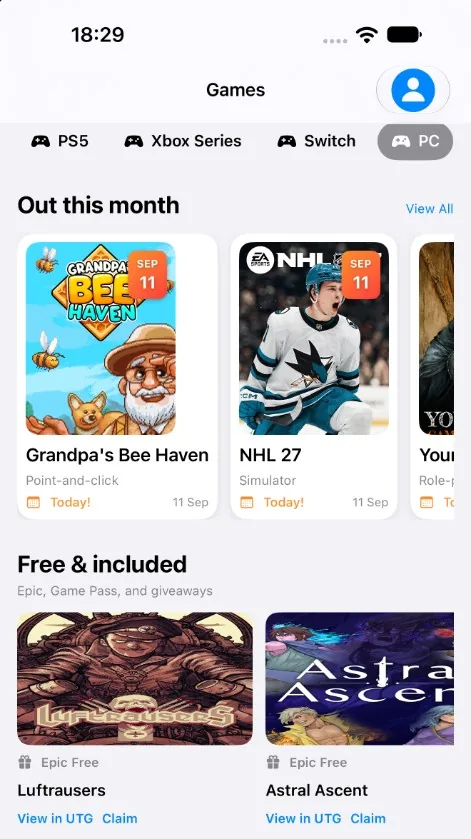
Search and open games from the IGDB catalog. Platform and genre filters cut the noise so you are looking at a date, not a rumor thread.
Follow or favorite what you mean to play. Free accounts can follow 3 games. Collections sync with iCloud on your Apple devices.
Allow notifications and we remind you about releases you follow. Turn them off in iOS Settings anytime. Live catalog and alerts need a network connection.
Loop motion from LottieFiles, used under the Lottie Simple License.
On the deck
Honest limits. No invented awards. Full write-up on Features.

IGDB catalog
Find a title, open the date. The homepage promise starts here — pick three from the catalog, not from a rumor thread.

Free: 3 follows
Keep the games you mean to play. Free users follow three. Collections sync with iCloud on the Apple ID signed into the device.
Buy or Wait
A followed title
Wait or buy — informational
Confirm on the official store. Not financial advice. Full tools are UTG Pro+.
Pro+ for full tools
Compare a listing with historical-low context. Full price tools are UTG Pro+. UTG does not sell games and does not store payment cards.
On-device + iCloud
Lists stay on your devices and in your iCloud. We do not sell your game list and we do not share it for advertising.
Limited free tries
Ask for a recommendation or a second opinion. Free use is limited tries; then UTG Pro+. Do not paste passwords or personal data into chat. Outputs can be wrong.
Included
Scan Epic free promotions, Game Pass listings, and giveaways in one place. Offers depend on the store and your region.
Optional
When-in-use location for weather and nearby stores if you allow it. Deny it and the rest still works. Home Screen widgets and Apple Watch complications countdown the next followed release.
Unlimited follows, full price tools, and more AI after the free tries. Optional Apple In-App Purchase — weekly, monthly, or annual. Soft pass: stay on the free watchlist if three games is plenty.
FAQ
Yes to download. You can browse IGDB, follow three games, keep iCloud collections, and use limited AI tries at no charge. UTG Pro+ is optional and billed by Apple as an In-App Purchase. We do not store payment cards.
No. Sign-in is optional and skippable in onboarding. An account (Apple, Google, or Firebase) is there if you want that layer. Collections still sync with the iCloud on the Apple ID signed into the device.
Followed lists stored on the device or in iCloud can still be there without a signal. Live catalog, prices, giveaways, AI, and push alerts need an internet connection.
Follow a game, allow notifications when iOS asks (or later in Settings). We send release reminders for what you follow. Turn them off anytime: iOS Settings → Notifications → UTG.
iOS Settings → [your name] → Subscriptions → UTG Pro+ → Cancel Subscription. Apple handles the charge and the cancel. Deleting the app or your UTG account does not cancel billing. Details: Subscription Terms.